The ABHuntLog Project
About
Hunting in Alberta is a long-standing tradition with participants spending countless hours afield in search of harvestable species. The time in the field provides benefits to the economy. In addition, hunters are in tune to the yearly changes in harvestable species populations as they strive to harvest meat for the freezer. Therefore, hunters are a valuable source of information in assessing the value of hunting on Alberta’s economy, as well as information to assess trends in populations of harvestable species. Hunters and recreationists—we need your help!
Hunting creates economic benefits that are challenging to measure, and yet these values are important for understanding the contribution wildlife habitat makes to society. Indeed, such measures of economic value are often used by government to weigh trade-offs within decision-making frameworks. Much of the information used in estimating economic value is collected using various types of surveys. Compared to traditional surveys, ABHuntLog is easy to use and more accurate.
In Alberta, aerial surveys have historically been the primary method used to estimate the population size, trend, distribution, and herd composition for ungulates. As such, they have been an important source of data for setting hunting allocations. However, aerial ungulate surveys are intermittent and are prohibitively expensive (averaging over$60,000 per wildlife management unit [WMU]), prompting the need for additional strategies for monitoring populations. Hunter observations are a cost-effective alternative that can be used as supplemental information to traditional aerial ungulate surveys.
The ABHuntLog project is a partnership with iHunter, the University of Alberta, and Métis Nation of Alberta. ACA thanks the Alberta Fish & Game Association (now Alberta Wildlife Federation) – Minister’s Special Licence Program, Alberta Professional Outfitters Society (Wildlife Management Fund), and Northern Alberta Chapter of Safari Club International for their financial support.




What are the new features in ABHuntLog?
- ABHuntLog will estimate your travel distance and time in your primary WMU, if you leave GPS toggled on. Now you can see these numbers in your trip survey. Distance and time data help biologists calculate average observation rates (e.g., # elk/hour) in a WMU.
- Option to enter method of harvest. To make your harvest reporting easier, we’ve added an optional field in the ABHuntLog survey where you can enter the weapon used.
- Option to enter CWD information. You can help biologists by answering some simple questions about chronic wasting disease in your end-of-season survey.
- Improved dashboard functionality. We’ve continued to make the dashboard even better for harvest reporting. Everything you need to know is organized by species and WMU.
Objectives
The following are the objectives of this project:
- Give hunters and recreationists an easy way to contribute observational data on harvestable species across all Alberta WMUs to provide inexpensive, high quality, long-term population trend and demographic data to biologists.
- Provide WMU-based summaries of wildlife observations and harvests back to hunters and recreationists via their personal ABHuntLog dashboard, and aggregated summaries from all ABHuntLog users online.
- Collect the activity and travel cost data required to estimate the economic value of hunting in Alberta.
Making it Easy
The iHunter app makes contributing data to wildlife conservation easy. And now you can download iHunter Alberta for free! Already used by thousands of Alberta hunters, the app’s familiarity and intuitive design are perfect for this project. The ABHuntLog project is a built-in feature of the iHunter app. You do not have to participate in ABHuntLog to use the iHunter app.
Why participate? How does it benefit me?
Better data = better wildlife population management = better hunting opportunities. The information generated can be used to understand trends in wildlife populations and provide an additional source of information for wildlife management.
Value hunting for Alberta’s economy. The information generated can be used to estimate the economic value of outdoor recreational activities, such as hunting, as well as the economic impact of policy changes, such as the closure of a hunting area.
Information on demand. You can access your personal ABHuntLog dashboard summaries anytime, and to help you complete mandatory harvest reporting (no remembering!). Your dashboard can help you remember where you saw that big moose bull, so you can easily plan your next hunt. Also, WMU-based summaries of all ABHuntLog wildlife observations are aggregated and mapped and available here.
Confidentiality
All data are stored on secure, password-protected servers, which will be accessible only to researchers at UofA, ACA, MNA, and iHunter. ABHuntLog participants are randomly assigned an anonymous ID number (we never see your name), and all data are associated only with that random number. Information on individual study participants will not be reported. Only aggregate information will be presented by wildlife management unit.
Data that you submit will be summarized and provided back to you in the form of a "dashboard". Only your dashboard will include your personal data, such as: number of trips (i.e., days), number of animals seen by WMU, and harvests. To ensure confidentiality, your data will be returned to you based on your randomly assigned anonymous ID number.
Join the ABHuntLog Team
To participate in the ABHuntLog project you must have installed iHunter on your mobile device. To sign up and participate in the ABHuntLog project, first open the main menu on your iHunter app and select “ABHuntLog”. Read the introductory text on the “Get Started” and follow the instructions.
You are free at any time to withdraw from the study. Select the “Stop Participating” button in the ABHuntLog settings. All of your activity and survey data will be removed from the study and deleted using your anonymous ID number. You may also withdraw your data when you complete the end of season survey, which you will be prompted to do on January 20th of each year. You have until January 31st to complete this survey, after which time any data collected the previous year will officially become part of the study.
Start A Trip
Once you’ve signed up, begin a trip log when you leave on your scouting or hunting trip. There are two options to start a trip log:
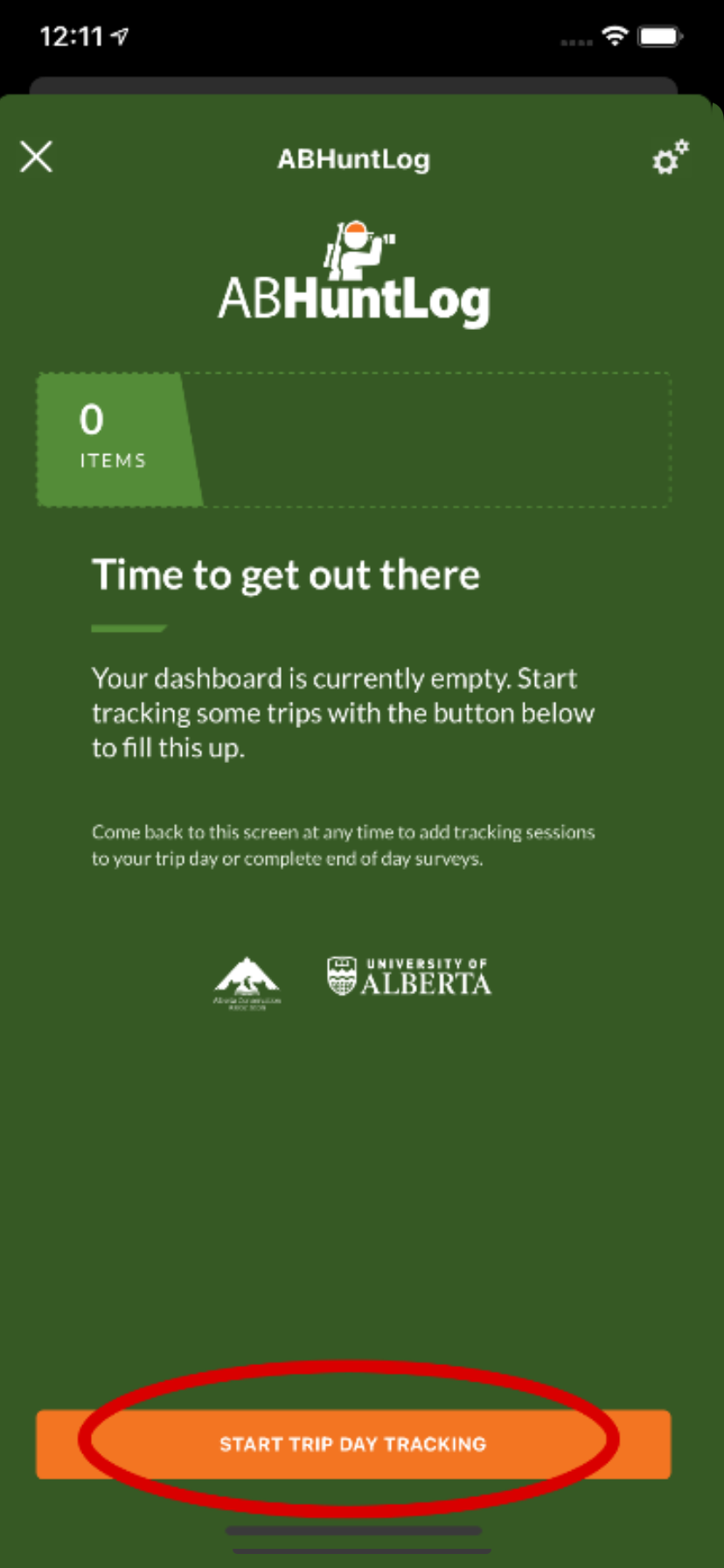
- On the main ABHuntLog dashboard page, click the orange “Start Trip” button at the bottom of the screen.
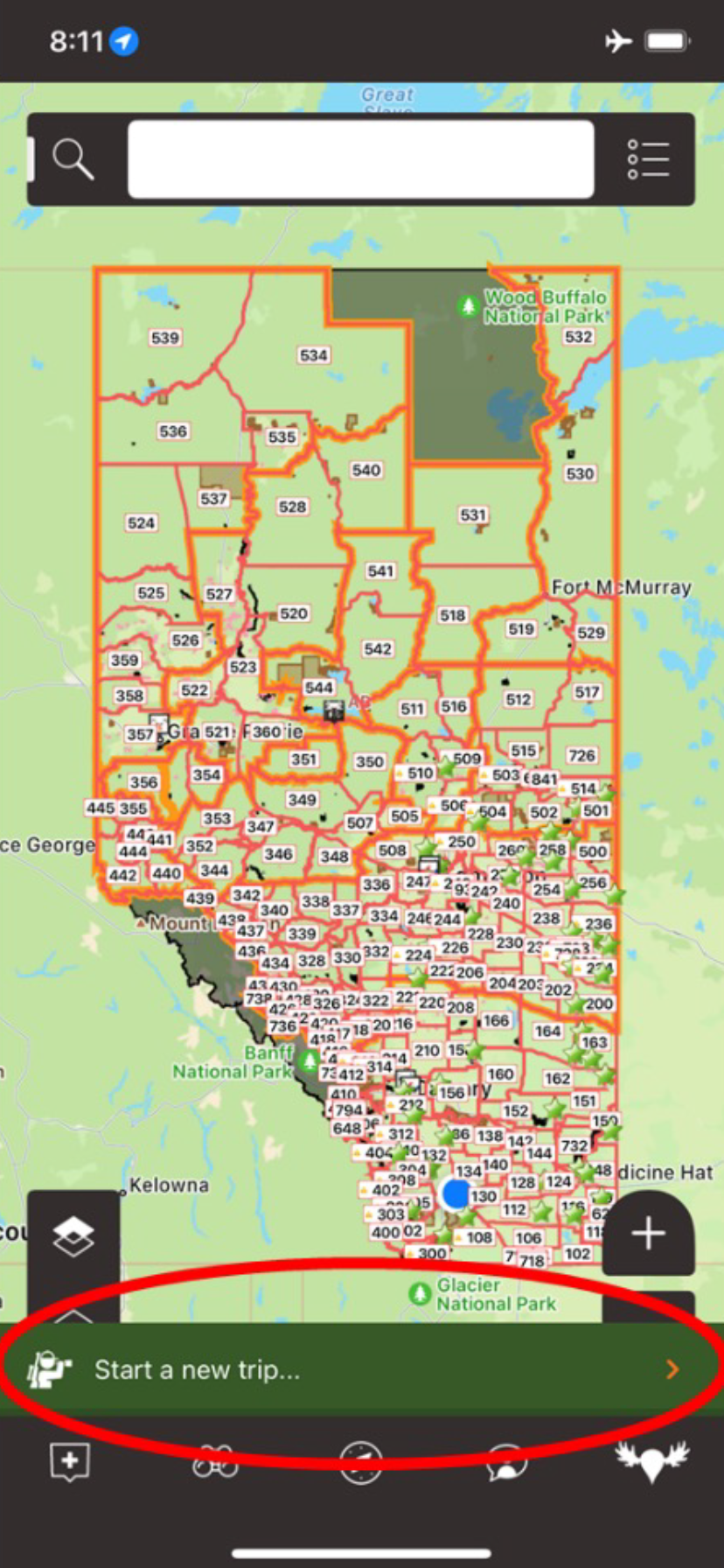
- On the main screen for iHunter, click the “Start a New Trip” button at the bottom of the screen.
After clicking the “Start Trip” button, just follow the prompts. You will be asked if you are hunting or recreating and in which WMU, and you’ll be given the option to have a tracklog run in the background or not. If not, you will be asked to provide estimates of your Hours Out and Kms Travelled in your primary WMU as part of the end-of-trip survey. These measures are important so biologists can calculate number of animals seen per hour, for example. Your data are confidential and associated with your anonymous ID number.
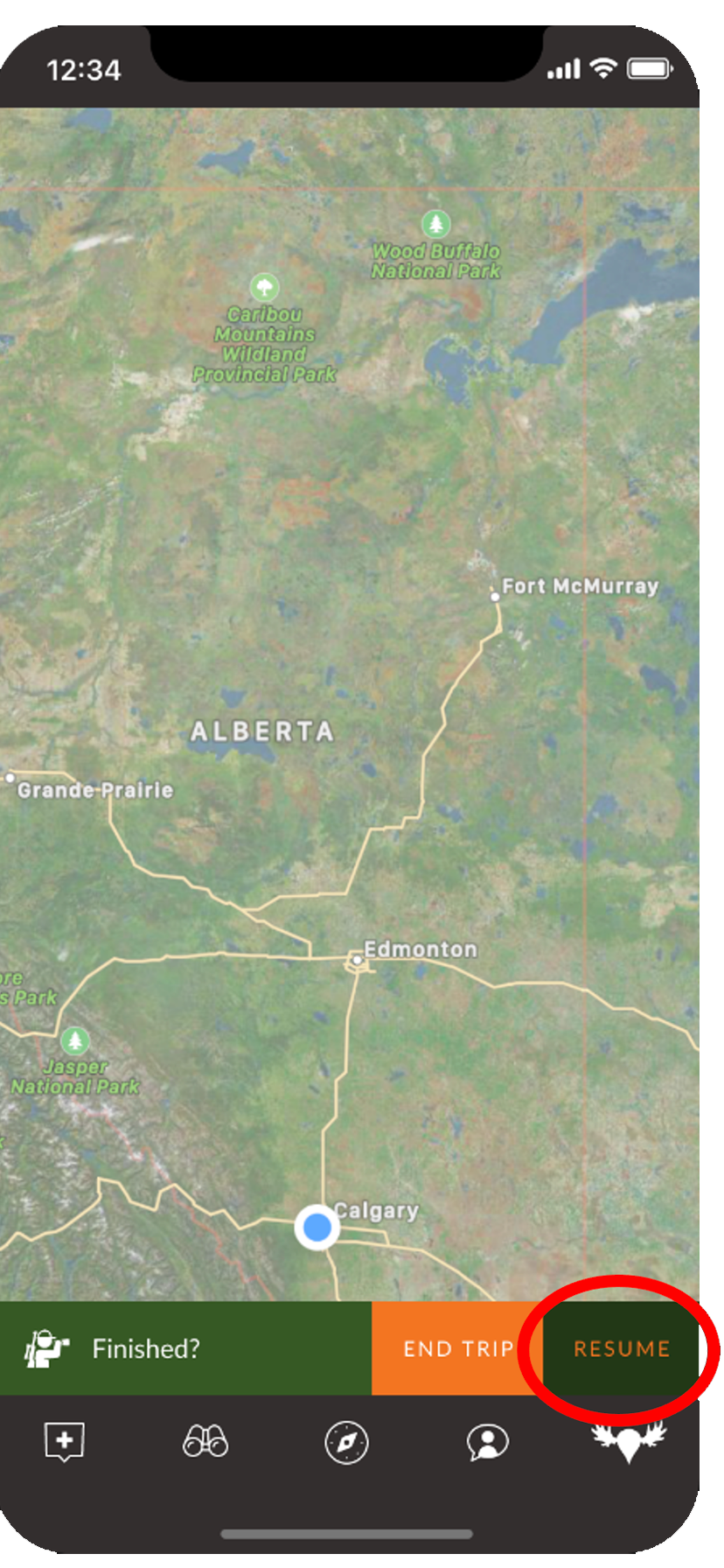
If you head out more than once in a day, you can do separate trips and surveys for each outing. For example, you hunt in the morning and then return to camp for the afternoon before heading back out in the evening to continue hunting. Alternatively, if you are just making a short stop (e.g., getting gas or lunch), you can click the Stop button and then later click the Resume button to continue your trip, assuming you are in the same WMU.
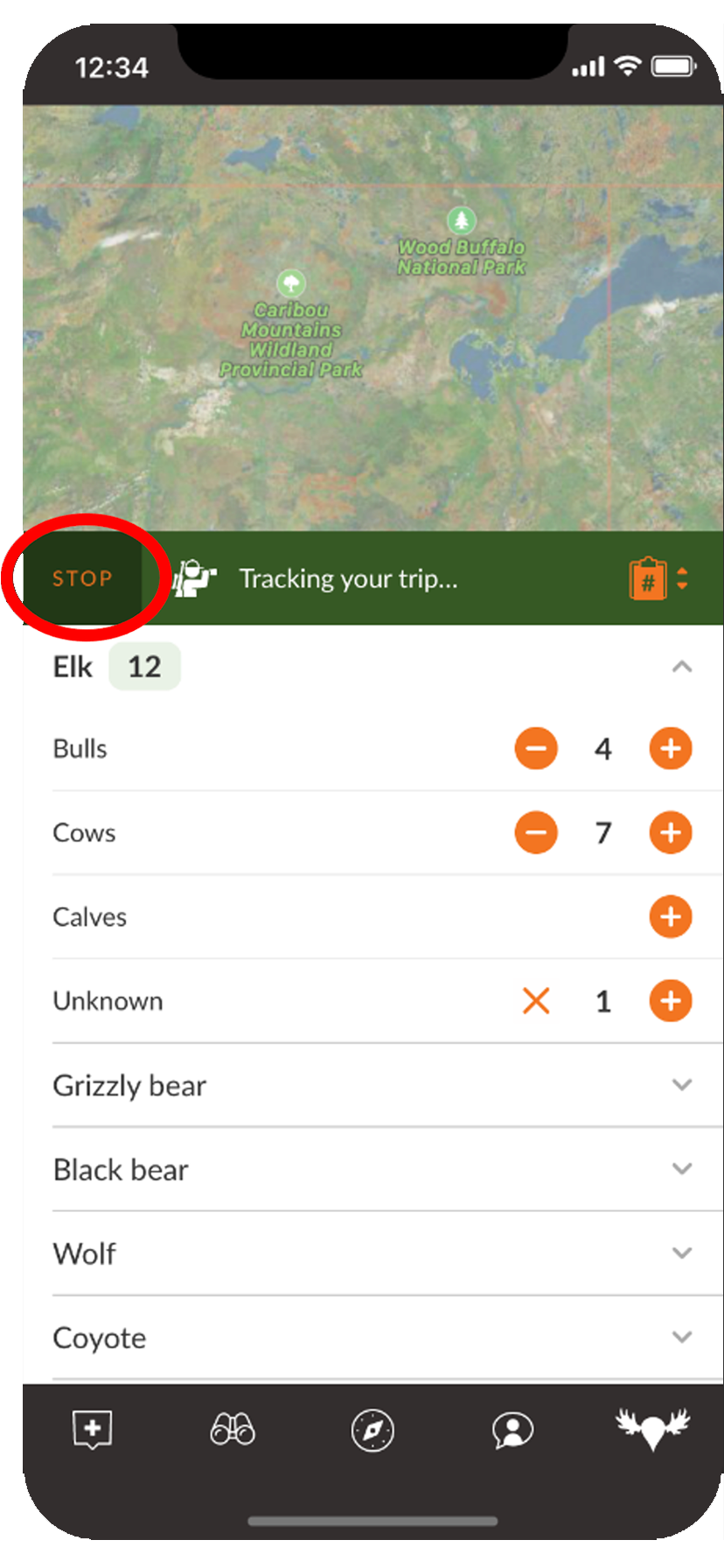
During your trip you can keep a running tally of your observations by clicking the clipboard icon on the right side.
Don’t forget to click the star button beside each species you were interested in observing/hunting, even if you didn’t see anything. These zeros are important information too.
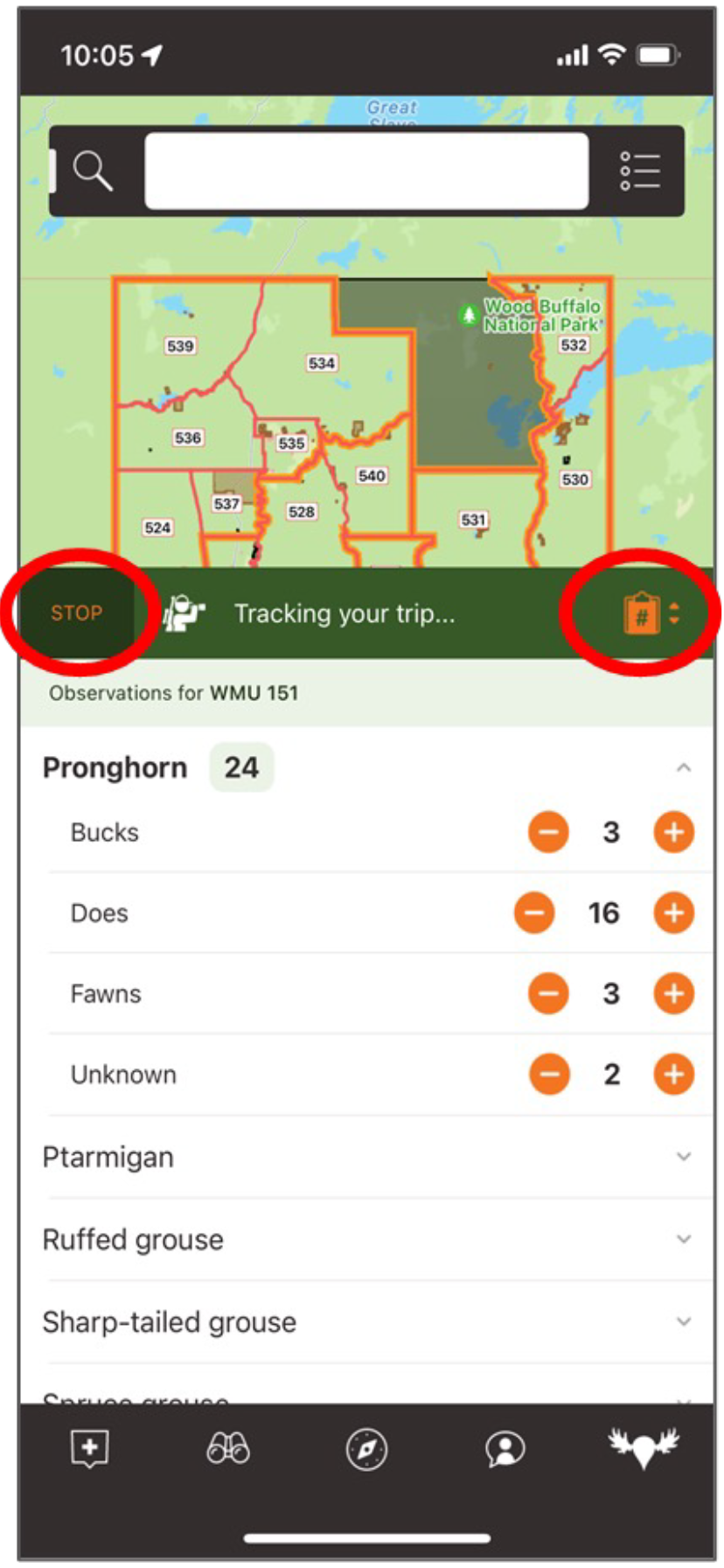
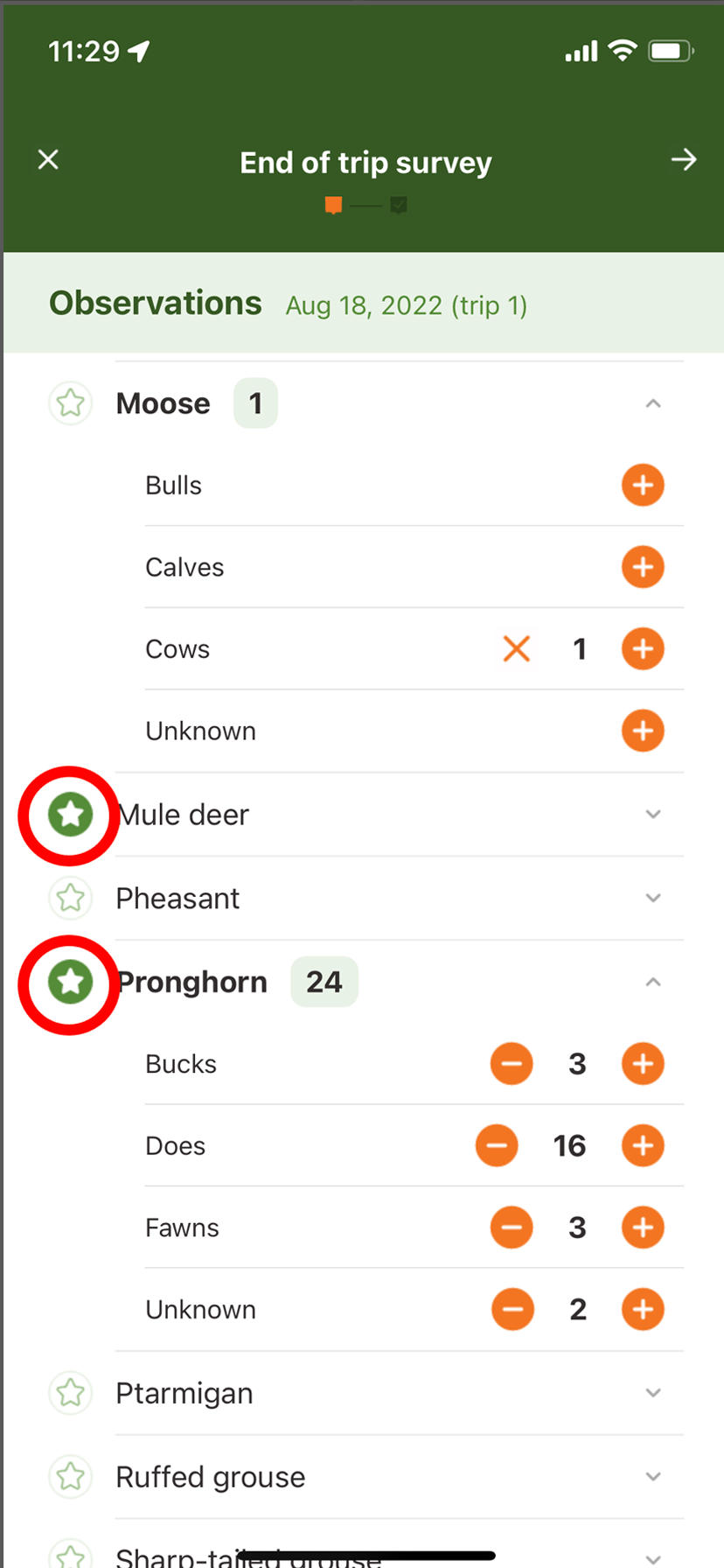
Once you have finished scouting or hunting you can stop your trip tracking and complete your survey about what you saw, and, if hunting, what you successfully harvested. You can either take the survey right away or choose to take it later. If you choose to take it later, the next time you open iHunter it will remind you that you have an outstanding survey from your last trip needing completion.
While we anticipate most hunters will log in during the open hunting season, the functionality of the ABHuntLog feature with iHunter will remain active throughout the year. We hope users will record scouting trips and provide species observational data to the project not only during the hunting season, but also for the winter, spring, and summer months.
Don’t forget to check out this short video demonstrating how to use ABHuntLog!
Personal Dashboard
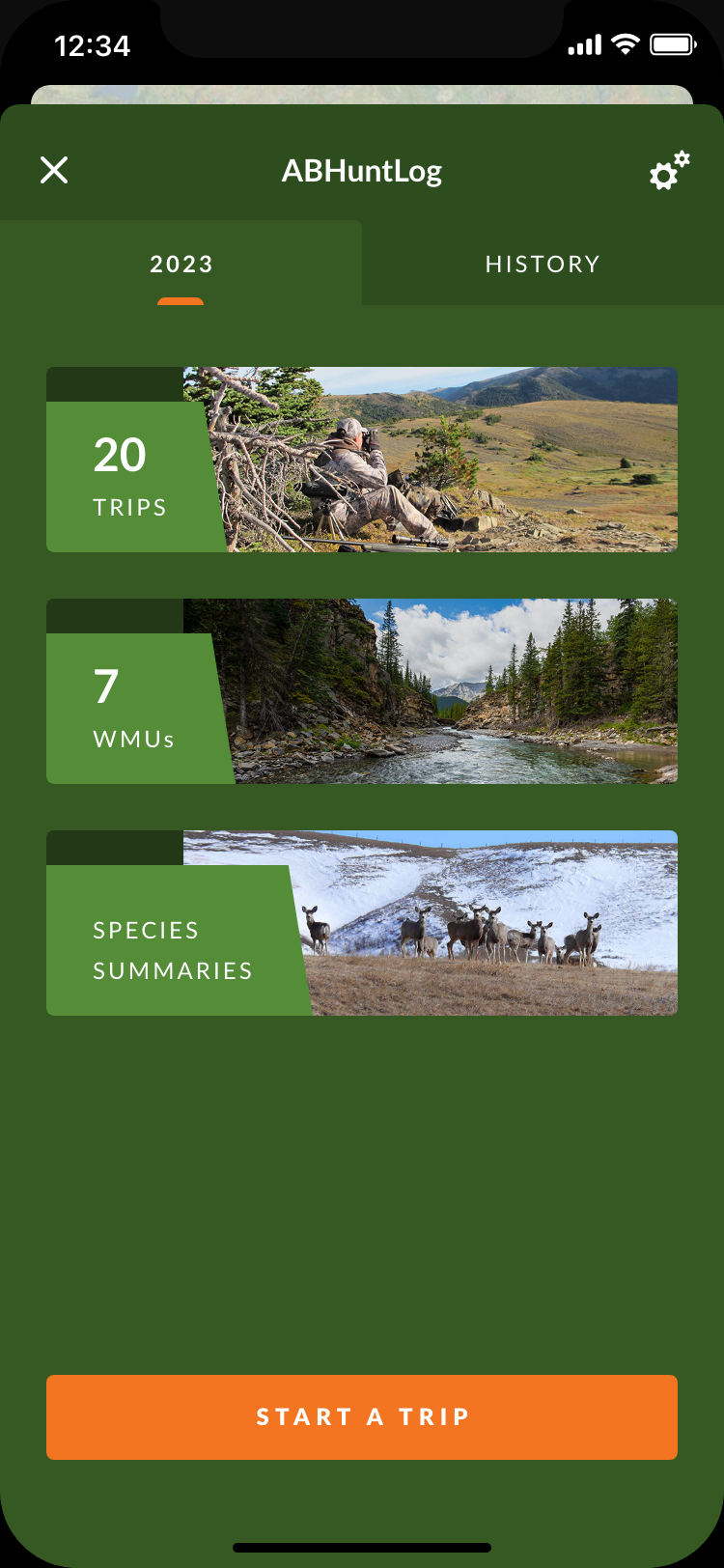
We have developed a dashboard to provide you with a record of your personal data, including summaries of each your trips, summaries for each of your WMUs, and species summaries. This dashboard is a valuable tool to help you plan future hunting trips and make your harvest reporting to the Government of Alberta easier.
REMEMBER: YOUR DASHBOARD IS ONLY AS ACCURATE AND VALUABLE AS THE INFORMATION YOU PROVIDE.
The main page of the ABHuntLog dashboard currently has three ribbons and a tab along the top for each year that you’ve participated. You can click each ribbon to view summaries of your personal information. The ABHuntLog icon in the upper left corner will return you to the dashboard main page.